
EMC ModWeigh runs on plenty of Australian conveyors, usually as an MP1 or MP2 processor with its own display, transmitter and I/O modules. When it raises an alarm, the number tells you which part of the system stopped making sense, not which part failed. Most of the time the cause is on the belt, in a junction box, in a sensor or in the setup data.
This guide covers the alarms we see most, what a calibration involves, and why the zero and span move. We service and calibrate the whole EMC scale: frame, idlers, load cells, speed sensor and electronics. For bookings, parts and model information, see EMC ModWeigh MP1 and MP2 servicing and the MP1 and MP2 product page.
What is a ModWeigh system on a conveyor?
ModWeigh is modular: an MP1 or MP2 processor, plus display, transmitter and I/O modules that vary from site to site. The application software decides what it does. MW95 is the belt weigher application and MW96 is the weighfeeder application; MW96 isn’t a newer version of MW95. Before you use a fault list or a wiring diagram, identify the fitted hardware and the software version.
Identify the MP1 or MP2 before reporting a fault
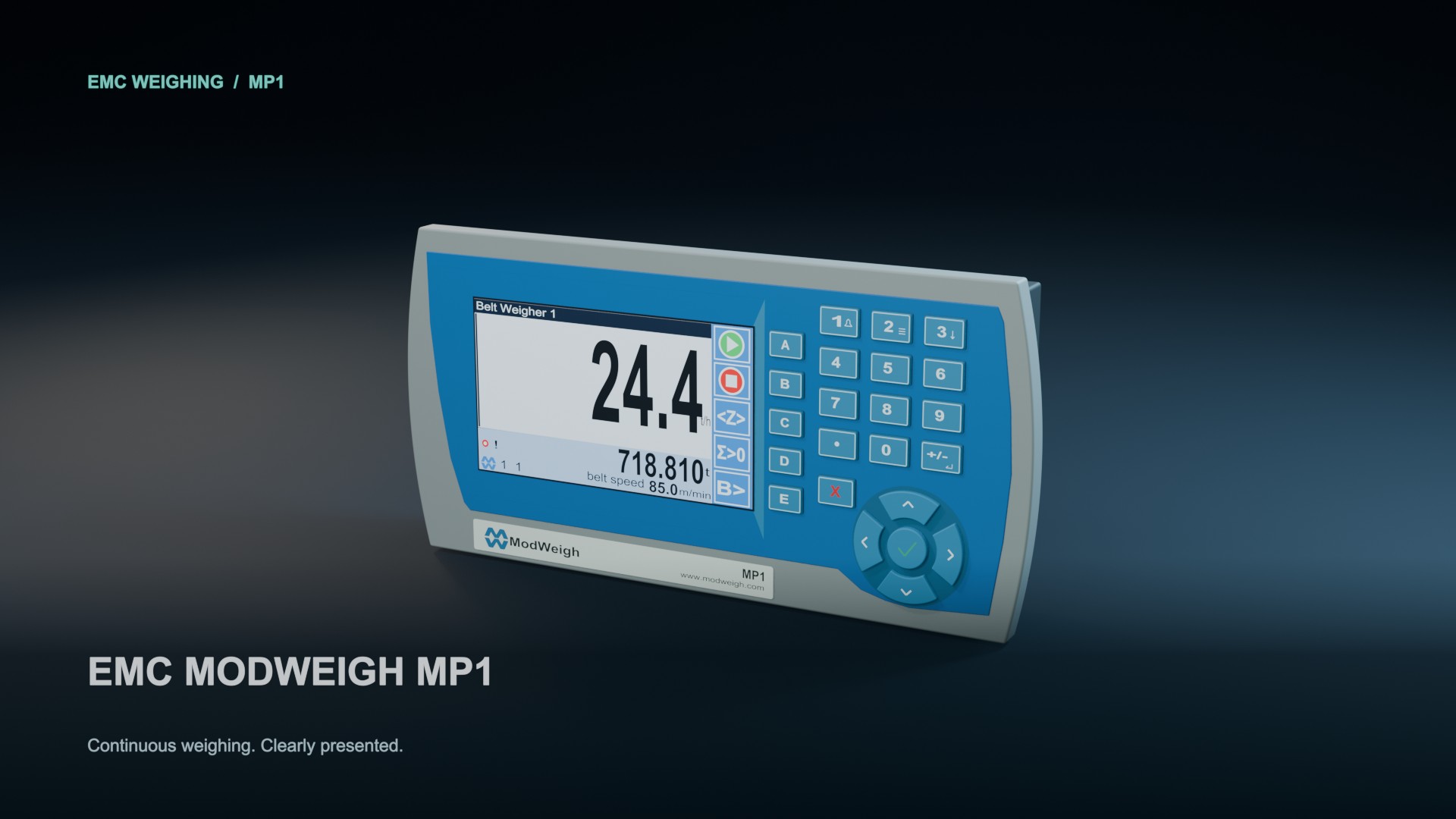
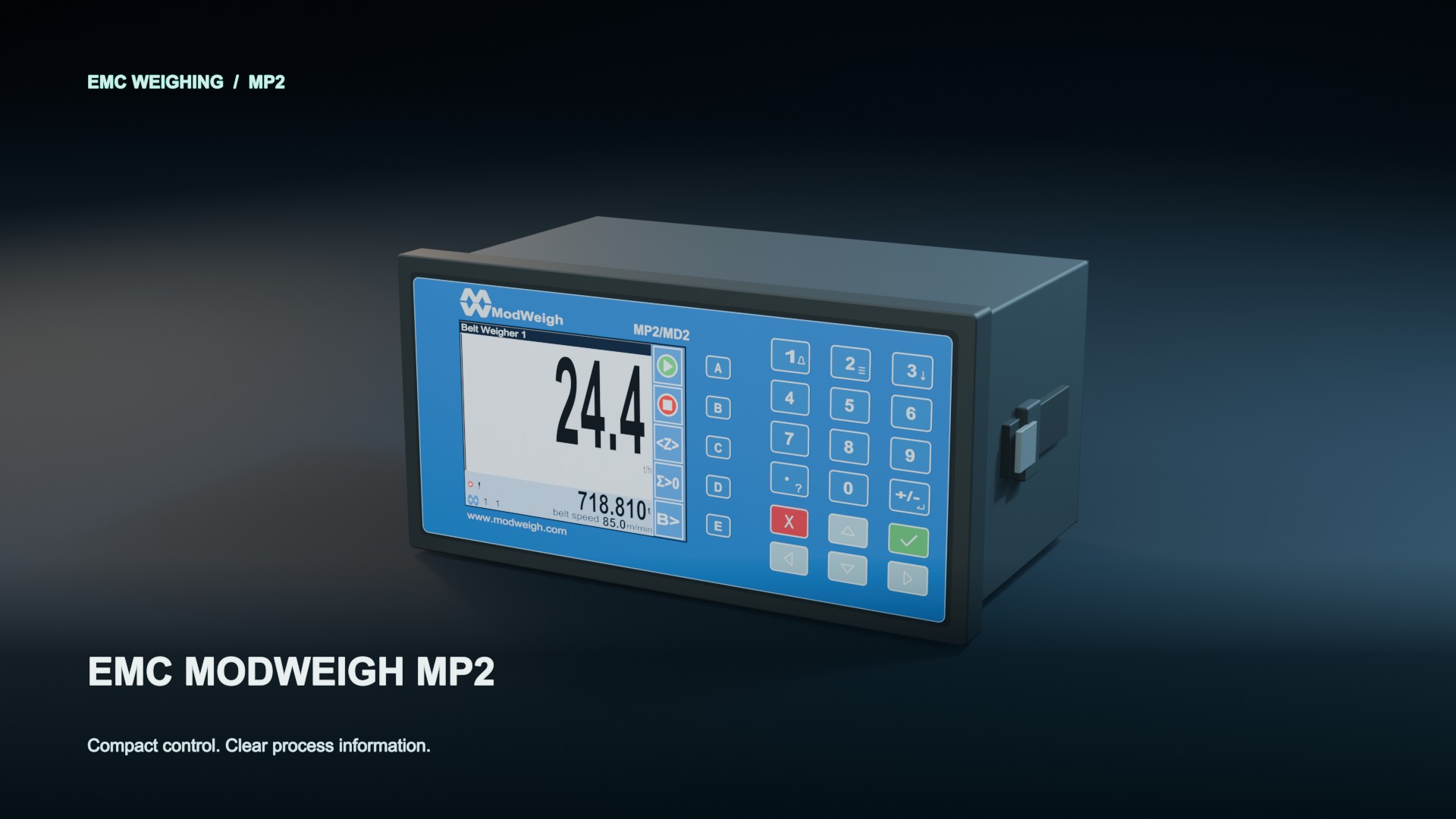
These illustrations show the front of each unit so you can tell them apart. Click either one to watch the model tours in our EMC servicing guide, and check your own unit’s label and software version too.
What do the common ModWeigh alarms mean?
Write down the alarm number, the full text, the time, the software version and what the conveyor was doing when it appeared. The numbers below come from EMC’s MW95A instruction manual SV6.09f (alarm list, page 61). Other ModWeigh applications and software versions can number things differently, so check the manual that matches your unit. Then work through it like this:
| Alarm | What we check first | When to call us |
|---|---|---|
| 112: weight | The load cell signal against its limits, the configured weight limits and the sense wiring. Water in the junction box and a binding frame are common causes. | If it comes back after the box is dried out and resealed and the frame is free. |
| 113: speed | Is the wheel turning? Seized bearing, lost belt contact, cable, the configured speed limits, and the NAMUR sensor diagnostics where fitted. | If the sensor turns and the cable checks out but the alarm stays. |
| 125: communications | Which link has dropped and what’s on the other end of it. Check whether the local display is still updating. | If the cabling and settings check out and it keeps dropping. |
| 126 / 127: P-Module | Whether the required module is fitted, and whether it’s compatible. | If the module is there and the alarm won’t clear. |
| 180: start inhibited | The stop input is active. Find out why with the site controls team. Never bypass it. | If the stop input is clear and it still won’t start. |
| 182: zero unsuccessful | Is the belt really empty? Clean the frame and idlers, check nothing is binding, then re-zero over whole belt revolutions. | If it comes straight back after a proper clean. |
| 183 / 184: calibration limit | 183 is too much zero signal; 184 is not enough span signal. Look for build-up, binding, a damaged load cell or wrong setup data. | If the scale is clean and free and the setup data is right. Don’t widen the limits to make it pass. |
| 185: tracking | The tracking input and the belt alignment. | If the belt is tracking centrally and it still trips. |
| 195 / 196: power event | Supply disturbances. After a power-down error, the totals and other stored data may not be valid. | If it repeats, or the totals look wrong afterwards. |
| 200: controller | Write down the detailed internal message, and don’t keep restarting it. | Straight away. |
Resetting, restarting or widening a limit hides the evidence without fixing anything. If the same alarm keeps coming back, the condition never went away.
What does a ModWeigh calibration involve?
Work on or near a conveyor, or inside an electrical enclosure, needs isolation under your site’s procedures and trained, authorised people. If that’s not you, stop and call us on 1300 101 666.
First, the setup data has to match the scale in front of you. The effective weigh length isn’t always the physical length of the frame; it depends on how the weigh idlers are arranged, so check it rather than measuring the frame and entering that. Belt travel and units need checking too. Then it’s the same order as any belt weigher:
- Record the as-found condition. Save the settings and note recent results and symptoms before anyone touches anything.
- Inspect the scale. Weigh idlers in line with the idlers either side (typically within about 0.3 mm; the exact target depends on the scale), the frame free to move, the belt tracking centrally, sensors and wiring sound.
- Check belt speed and length. After a belt change or a new splice, re-measure both, re-enter them and recalibrate.
- Zero on a clean, empty belt over whole belt revolutions, not a few seconds.
- Span against a known load: test weights, a calibration chain or a material test, whichever suits the scale. On a fully suspended frame, test weights read the same wherever they sit. On a pivoted or lever frame, use the designated points.
- Record the as-left figures and anything still limiting the result.
The numbers we work to: repeat span runs within about 0.1%, and a routine span that has moved more than about 0.25% needs attention.
If the scale carries a correction factor from past material tests, don’t reset it to 1 just because you’re chasing a fault. It holds history you’ll need, and changing calibration method means looking at that history first.
Who adjusts what. On our service visits we adjust the zero and span when the checks show it’s needed. Between visits, site should run a zero about every two weeks and after a big change in the weather, and check the span but record it rather than accepting it. We recommend a service calibration every quarter so the scale keeps up with the seasons. See belt weigher calibration methods and what zero, span and repeatability mean.
Why does the zero or span move on a ModWeigh scale?
Almost always because something physical changed in the weigh area: build-up on the frame or idlers, a seized or dragging idler, a binding frame, belt tracking or tension changes, or water in a junction box. After a proper clean, a one-off zero change of around 1% is normal. A zero that keeps walking after cleaning and alignment needs investigating, not re-zeroing. A new belt usually takes a week or two to bed in, so check the zero after the belt work and again once it has settled.
ModWeigh’s automatic zero only works inside its configured conditions and limits, so a rejected zero is a reason to go and look, not to widen the limit. A span that has shifted usually has a physical cause too: a new belt or splice without the speed and length re-entered, a weigh idler knocked out of line, or changed setup data. Load cell or wiring faults and temperature effects show up this way as well. See why a belt weigher zero drifts.
What speed sensor and load cell points matter on a ModWeigh?
Speed. The sensor’s supply, output type and signal levels have to suit the input it’s wired to, and that depends on the hardware. The MW95A manual lists PNP, NAMUR or AC sensors for the MT1 tacho input; don’t assume an MP1 or MP2 takes the same. Grease the speed sensor bearings monthly. On a fixed-speed setup with no speed sensor, check the run/stop signal, or the scale can keep totalising while the belt is stopped. We can supply a replacement sensor, including our own USR speed sensor, and we’ll confirm it suits the input before it goes on. More in our belt weigher speed sensors guide.
Load cells. Separate monitoring of four load cells, and corner adjustment, are MT1 features in EMC’s MW95A technical information, not general MP1/MP2 features. Confirm the input arrangement, load cell wiring and sense connections before you blame one cell. See our load cell identification page and is it the load cell, the cable or the junction box?
How does a ModWeigh talk to the plant?
Through serial Modbus and whatever analogue, pulse and digital I/O is fitted. Any other network protocol needs its own interface, so confirm it’s there. When the PLC and the local display disagree, the local display is the reference: check units, scaling, which signal is selected, pulse resolution and the comms settings before you touch the weighing calibration. An alarm light that’s off doesn’t mean the scale is weighing correctly, either.
After a software or PLC change. EMC’s support notes show that Modbus addressing and byte-order defaults changed between software generations, and upgraded units can keep the old settings. If the PLC suddenly shows nonsense numbers, check the register map, byte order and address convention at both ends before calling it a weighing fault. Record the old and new versions and keep a settings backup. Don’t load new firmware just to try to clear an alarm you can’t explain. See EMC’s software support notes and getting belt weigher data into your PLC or SCADA.
Need a manual for your equipment?
Send the processor or transmitter model, serial number, software version and other fitted module details. The manual has to match the application and hardware; its date or the look of the front panel isn’t enough.
Talk to us about manuals for your equipment. Send the make, model, serial number and software version (a photo of the label is fine) and we’ll help you find the right document.
Repair the fault or upgrade the integrator?
An alarm that keeps coming back doesn’t automatically mean a new integrator. We look at the whole scale, repair where it makes sense, and recommend an upgrade when condition, parts or reliability make it better value. Talk to us about replacement options, including for sites outside Australia.
When should you call us rather than keep clearing the alarm?
Call when the same alarm comes straight back, the zero won’t repeat after a proper clean, settings may have been lost, or the total no longer agrees with a reliable reference. Stop if testing would mean bypassing an interlock or working outside your site’s procedures.
Email the alarm number and text, model, software version, recent changes and photos to admin@accurateindustries.com.au, and tell us the site and whether the belt was stopped, empty or loaded when it appeared. Or call 1300 101 666. See booking a belt weigher service.
Frequently asked questions
Can a ModWeigh be calibrated without test weights?
Yes, with a calibration chain or a material test, depending on the scale and the fitted application. We’ll explain what each check tells you about your scale.
Why does my ModWeigh total read lower than the weighbridge?
Common causes are a zero or span error, speed measurement, the low-flow cut-off, or comparing different loads or time periods. A belt weigher and a weighbridge rarely agree exactly, so compare the same loads over the same period before changing anything. See why a belt weigher doesn’t match the weighbridge.
Does no alarm mean my ModWeigh is healthy?
No. Some problems never raise a visible alarm, depending on how the alarms and limits are set. Repeat checks and a check against a known load are still needed.